
Property Post Builder · Thousands of templates
Build For Sale and Sold posts in seconds
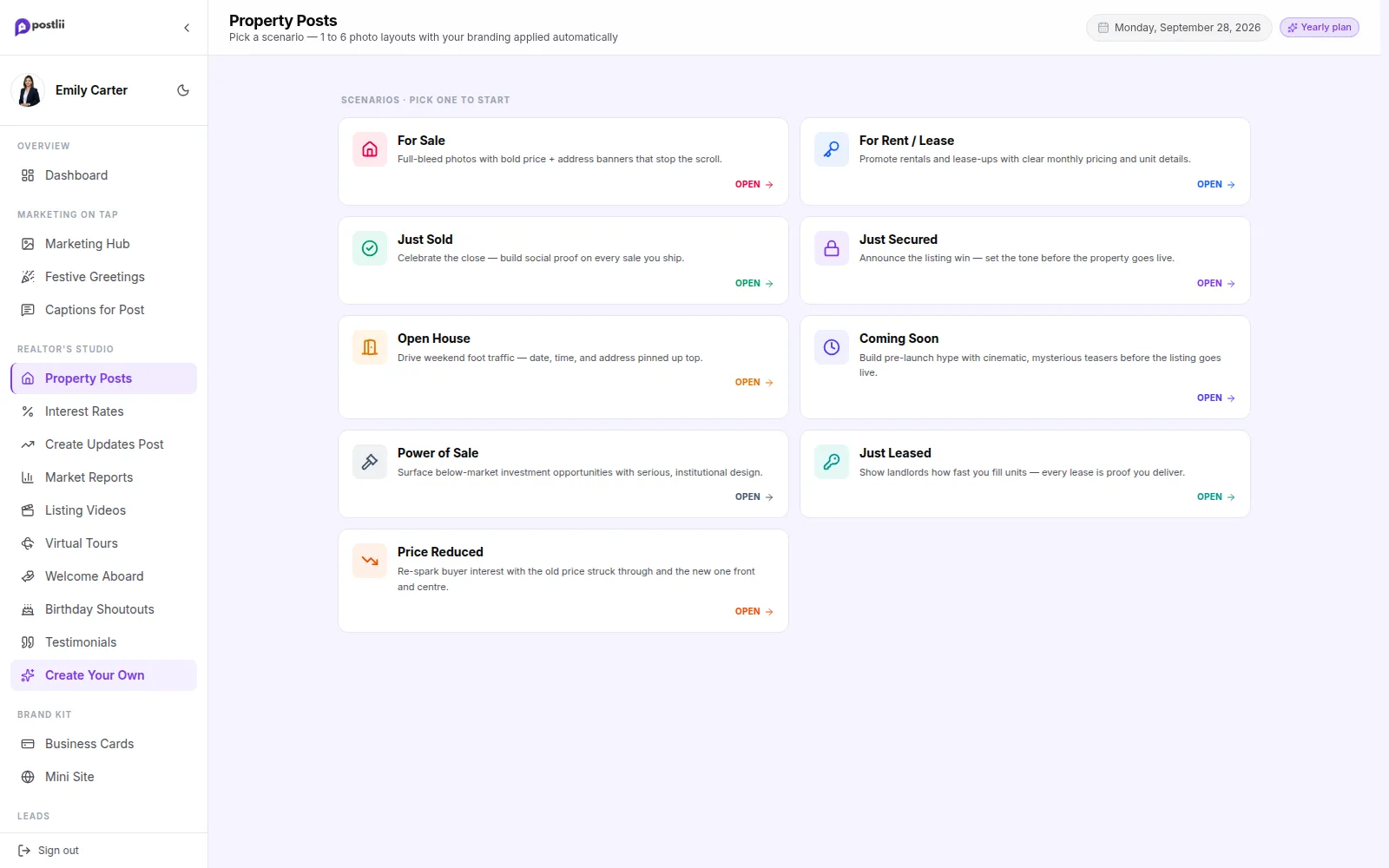
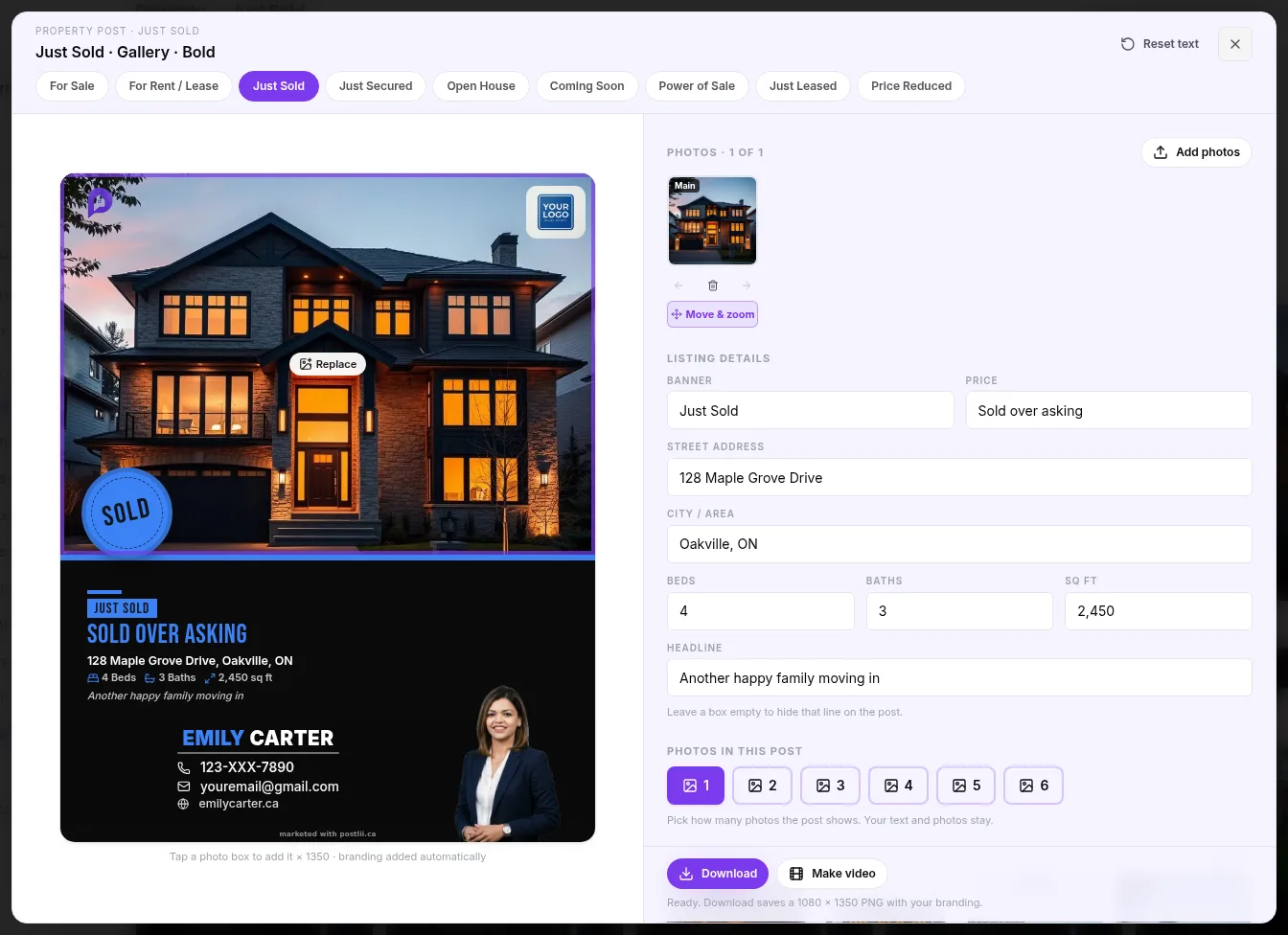
Drop in your listing photos, type the price and address, and it's done: a scroll-stopping post with your name, headshot and brokerage already on it. No design software, no waiting on a designer, no AI mistakes to fix.
Why realtors love it
What you get with Property Post Builder
Every listing moment
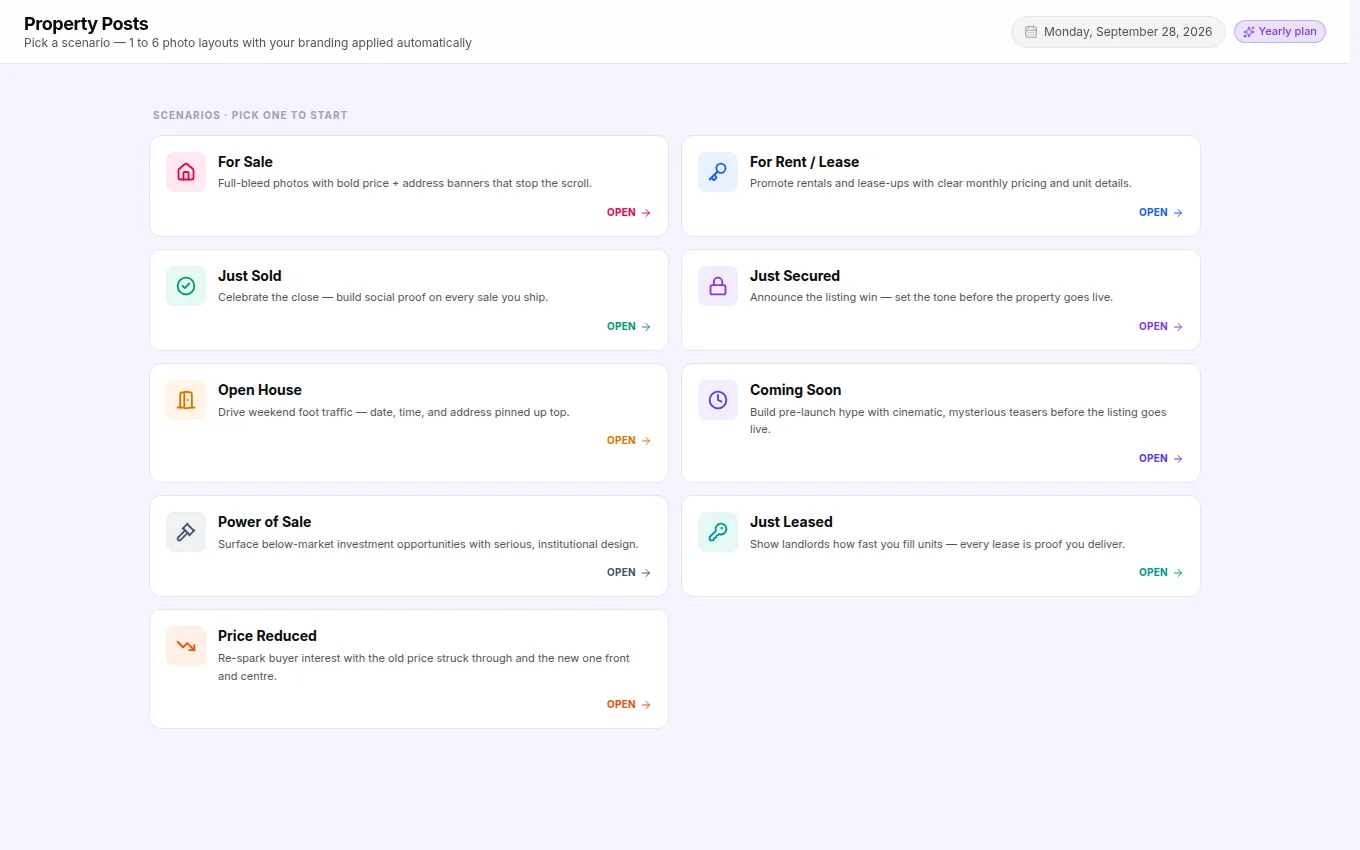
For Sale, For Rent/Lease, Just Sold, Just Secured, Open House, Coming Soon, Power of Sale, Just Leased and Price Reduced.
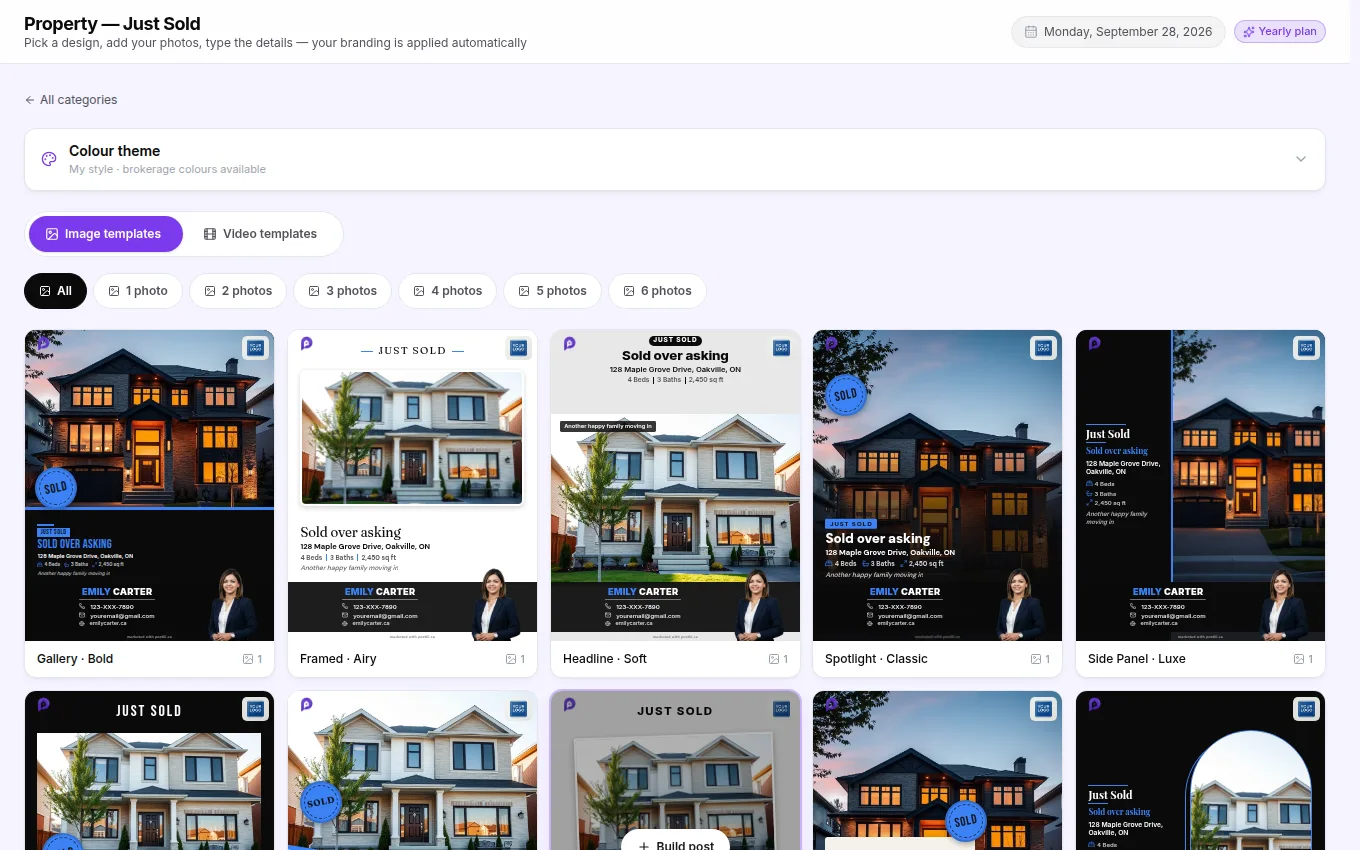
1 to 6 photos
Every layout adapts to how many photos you have, from a single hero shot to a six-photo gallery.
Your details, automatically
Headshot, name, phone, email and brokerage logo lock into the branded footer on every design.
Post-ready sizes
Exports at 1080 × 1350, the portrait size Instagram and Facebook show biggest in the feed.
How it works
Property Post Builder in 4 steps
Real designs
A few of the designs inside
Shown with a sample realtor. Yours will carry your own photo, name and brokerage.
FAQ
Property Post Builder questions
How many listing templates are there?
Thousands, and we add more regularly. Every listing type has dozens of layouts for each photo count from 1 to 6.
Do I need Canva, Photoshop or a designer?
No. The builder does the design for you. Pick a layout, add your photos and details, and download or schedule. No waiting on a designer and no AI mistakes to fix.
Can I change the price, address and features?
Yes. Every text field on a listing post is editable, and switching layouts keeps what you typed.
Also in postlii
Your next month of posts is ten minutes away.
Start your 7-day free trial. No credit card needed.